Why can't I highlight text in a PDF?
By Aura Reader Team · 2026-10-03 · 5 min read
You can see the words, but dragging across them does nothing. Before changing readers, check what the PDF contains. A page can be a picture of text, actual text, or a mixture of both. Those files look similar on screen but behave differently when you try to select a sentence.
Try copying one sentence
Open the original PDF in a trusted viewer and choose its text selection tool rather than the hand or drawing tool. Select a few words, copy them and paste them into a plain text editor. Check whether they are the same words, in the right order. Repeat on the page that caused the problem; the first page may have a different structure.
- Nothing selects: the page may be an image, or the viewer may be in a different interaction mode.
- The text copies as nonsense: the PDF may have a broken or inaccurate text layer.
- Some pages work and others do not: the file may combine scans with text-based pages.
- Selection works in another viewer: check the current reader's controls and compatibility before changing the file.
A scanned page needs text recognition
OCR means optical character recognition. It turns the words visible in an image into a text layer that a compatible viewer can search or select. Adobe documents this distinction in its guide to scanned PDFs. After recognition, check names, numbers and unusual punctuation against the page image; recognition can be wrong.
Adobe's guide to recognizing text in scanned documents
Aura does not perform OCR on image-only PDFs. Uploading the same scan again will not add selectable text. Use a trusted OCR tool first and keep a copy of the original. For a confidential document, check where that tool processes and stores the file before sending it anywhere.
Check restrictions and the kind of highlight you need
A document may restrict copying or editing. If the viewer reports a restriction, ask the document owner for an accessible copy or use the permitted workflow. Do not assume that changing viewers gives you permission to remove restrictions.
Also distinguish a text highlight from a coloured shape drawn over a page. A rectangle can mark an image visually, but it does not create a saved quotation. If you want to search or reuse the words later, you need readable text rather than just a yellow box.
Reading and highlighting a supported PDF in Aura
Sign in and upload the PDF through your library. Free accepts up to 3 MB per file; Pro accepts up to 50 MB. Open the saved document and try a short passage of selectable text. Keep the original file if you need its exact layout: a cleaned text view and a fixed PDF page serve different purposes.
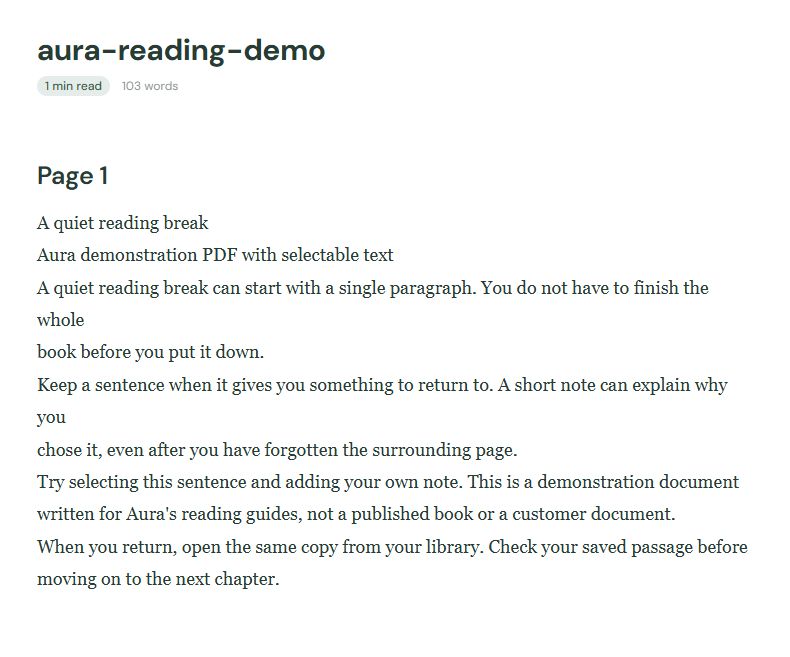
Download a small PDF with selectable text to test
Save a highlight or note, then check Highlights & notes in your library. Aura's saved annotation is part of your library workflow. Do not assume it has been written back into the original PDF or will appear in another app.
Check the highlights and notes workflow
If the file still will not cooperate
Try a small PDF with ordinary selectable text. If that works, compare the troublesome file in another viewer. Note whether the failure affects every page, one column or just an image caption. That is more useful information for a bug report than "PDF highlighting is broken."
Send support the reader version, the step that failed and a non-sensitive sample you are allowed to share. Do not attach a private report just to demonstrate the problem. A page with the same structure is often enough.