EPUB reader online. Open a book in your browser.
A book you downloaded should be easy to find when you finally want to read it. Keep your EPUBs in Aura beside the articles you have saved. Open a chapter, make the text comfortable and leave the book waiting in your library.
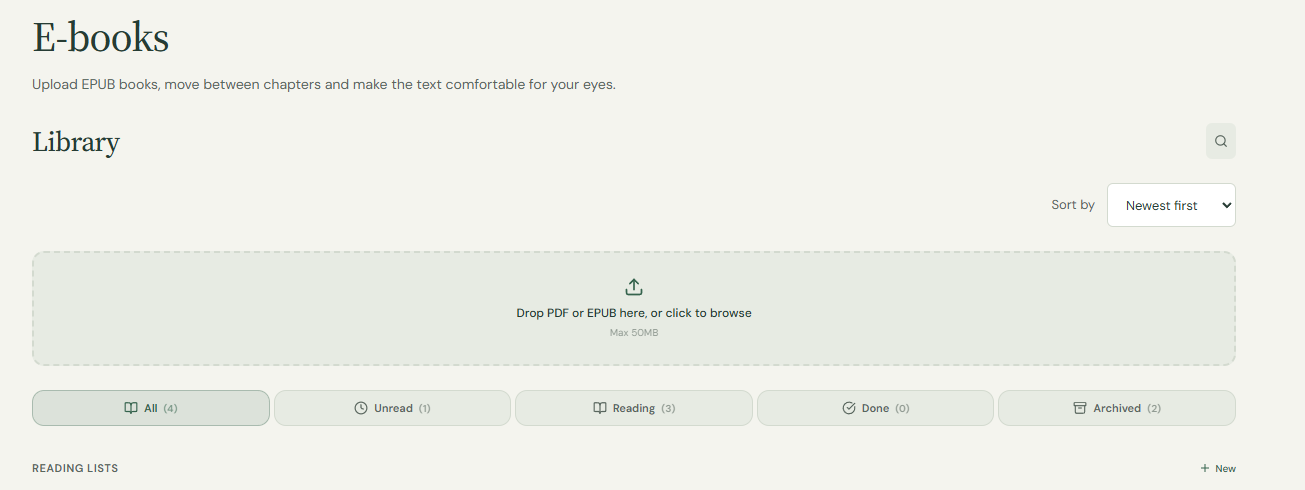
Open your EPUBA book in Chrome, without another desktop app
Open Aura in your browser, sign in and select your EPUB in the home page's file upload area. You do not need the Chrome extension to upload a book. The file is uploaded to your account and its readable text opens in Aura. This is not a local-only file viewer: keep a separate original if you need a backup or access without a connection.
Let the words fit the screen
EPUB stores flowing text rather than a fixed printed page. Aura extracts readable chapters so you can change the font and size. Built-in chapter links help you move around supported books. Complex layouts, illustrations and publisher styling may not be preserved exactly, so keep the original file.
EPUB is a file. Ebook is a reading view
The Ebook option in the reader switches to a paged presentation and enters the focused view. You can use that presentation for an article too. It does not turn a web page into an EPUB download. Try it if turning a page feels more natural than scrolling a long column.
Return to the book you already started
The E-books section of your library separates uploaded books from articles and PDF documents. Open your existing book there rather than uploading it again. Reading progress helps you resume a saved item; changing text size or switching to a paged view can change where a passage appears on screen.
Keep the passage you will want tomorrow
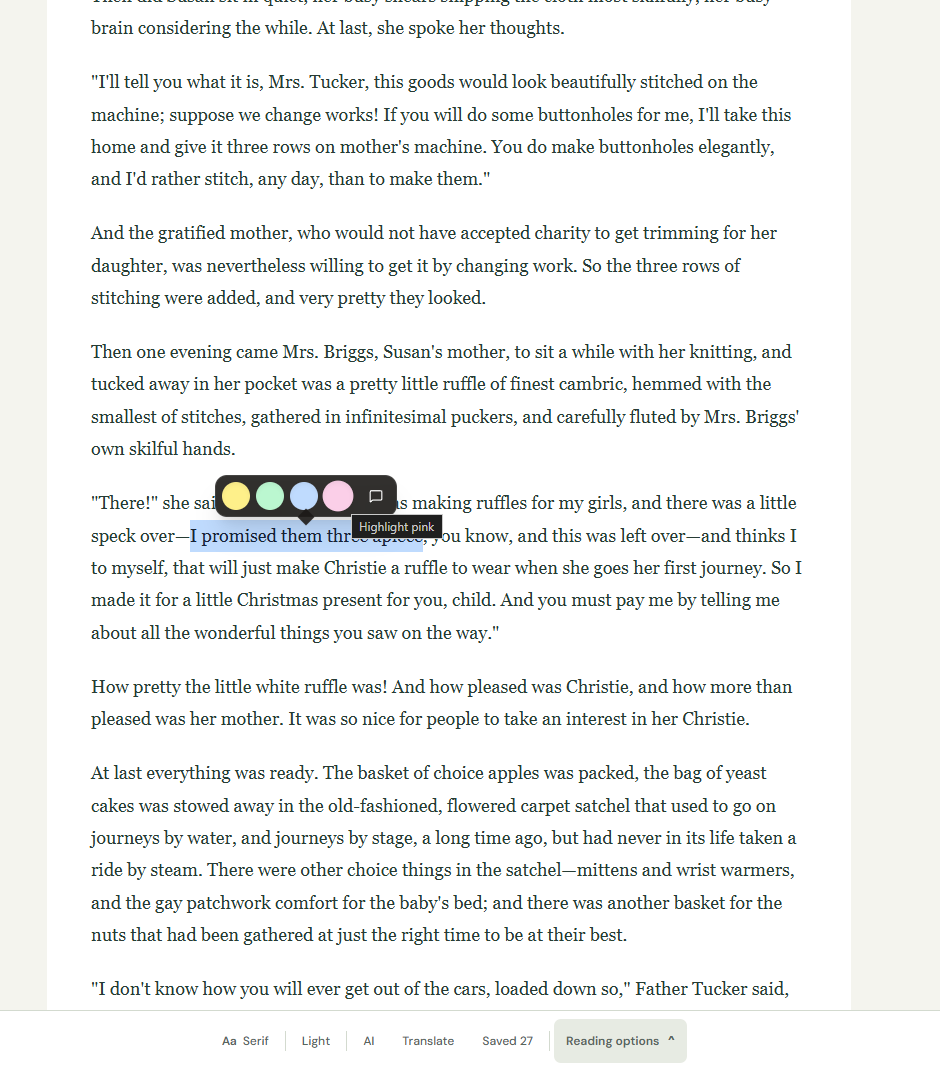
Save a selectable passage with a note while signed in, then find it in Highlights & notes. Books have their own library view, so they need not disappear among short articles. If a file will not open, check that it is an unprotected EPUB and within your upload limit before trying again.
When a book needs a different reader
A protected library loan or shop purchase may need the provider's app. A heavily illustrated or fixed-layout EPUB may also look different after extraction. Aura does not convert MOBI or AZW files, remove DRM, or promise complete offline access. For exact page design, compare with the original in a compatible reader.
Where to find it
- Sign in and upload an unprotected .epub file within your plan's limit.
- Open E-books in your library, choose the book and adjust the text.
- For a paged view, open Reading options and choose Ebook. Keep highlights when a passage matters to you.
Before you start
Does Aura read MOBI, AZW or DRM-protected books?
The file uploader accepts PDF and EPUB. It does not remove DRM or support every e-book format.
Is the Ebook button only for uploaded books?
No. It is a paged reading view that can also display an article. Uploading an EPUB and switching on Ebook are separate actions.
Should I upload PDF or EPUB?
Choose EPUB for flowing book text when you have that format. PDF is useful for documents you already have, but Aura's reading view extracts its text rather than promising an exact printed layout.
Do I need a Chrome extension to open an EPUB?
No. Upload the file on the Aura website while signed in. The extension is a separate tool for saving and opening web articles.
Why does an upload fail?
Check that the file is a complete, DRM-free EPUB within your plan's 3 MB or 50 MB limit. A licence file is not the book itself. If sign-in interrupted your first attempt, select the file again after signing in.
Try it with one passage first
Use a DRM-free EPUB or a PDF with selectable text. File uploads require an account: up to 3 MB per file on Free and 50 MB on Pro. Aura does not run OCR on scanned pages or remove DRM. Keep your original file if its layout matters.
Select a short passage, choose a highlight colour or add a note, then check the saved entry in Highlights & notes. Open the same library copy next time. An annotation saved in Aura is not an edit embedded in your original PDF or EPUB.
Want to try without uploading a personal document? These short English samples were written for this guide.